Shop Online. We Deliver to Your Door.
Choose how it moves, track every step, and get your package delivered to your door.
how it
works
Shop Online
Shop from your favorite stores. Use your ShipSmart address at checkout and send your packages to us.

We Receive & Organize
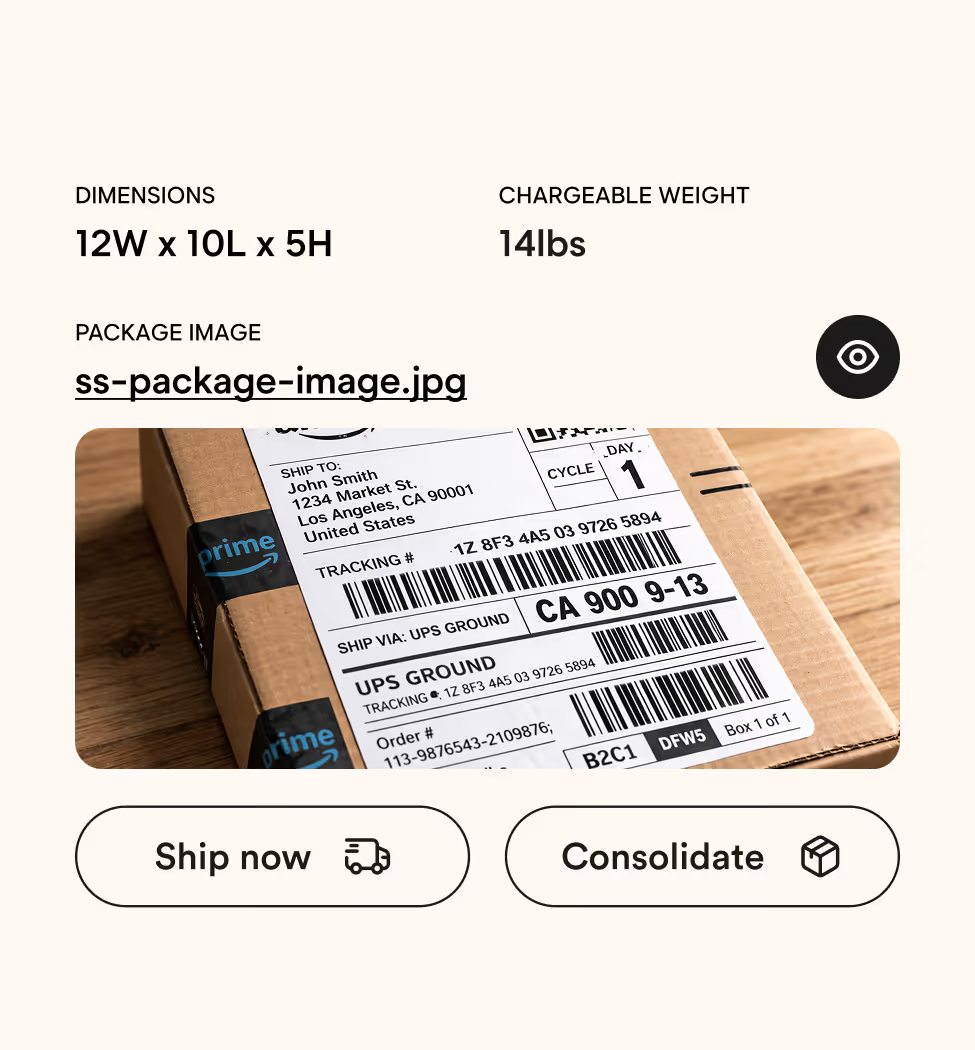
View your packages and choose how they ship. We show you photos, and let you decide how to send them.
We Ship & Deliver
Clear pricing, updates at every step & deliveries to your door. We handle everything for you!



PREVIEW BOX SIZES
Get your estimate
Choose Shipsmart Express for single packages or Consolidate & Ship for multiple packages.
Consolidate
Ship directly
Price:
$0.00
Rates
Price:
$0.00
Box Sizes & Pricing Table
Why People Choose ShipSmart?
Everything is clear, simple, and in your control from the moment your package arrives to when it’s delivered
You’re in Control
Choose how your packages move. Ship items individually or consolidate them into one shipment. It’s up to you.
No Surprises
We share photos, weight, and details for every package received so you can decide before you ship.
We Handle Everything
No lines. No paperwork. No stress. We take care of shipping, customs, and delivery right to your door.
Stay Updated
Get updates by WhatsApp, email, or app. Whichever works best for you.
THE BETTER
WAY TO SHIP
Compare how Shipsmart stacks up against other shipping companies in thre region.
Happy
SHippers
Quick
Answers
Everything you need to know before you ship with ShipSmart.
ShipSmart gives you a U.S. shipping address where your packages are received, logged, and managed in one place. From there, you can choose to ship packages directly or consolidate multiple packages into one shipment to save money. We then coordinate shipping, customs clearance, and delivery through our trusted partners and on-island agents.
Customers who choose to consolidate typically save 30–70% by consolidating multiple packages into one shipment instead of shipping each package individually. Your exact savings depend on the size, weight, and destination of your items, but consolidation is one of the most effective ways to reduce shipping costs.
Packages are usually logged into your account within 24 hours of delivery to our warehouse. During high-volume periods, it may take up to 48 hours. If your package still does not appear after 48 hours, you can submit a package inquiry through the app.
Packages may be held for up to 10 days free of charge while you prepare your shipment. After the free storage period, a $3.50 per day, per package storage fee applies. ShipSmart is not a long-term storage facility, so packages should be shipped or consolidated within this timeframe.
You can reach our team through WhatsApp, live chat, or email, whichever is most convenient for you. For the fastest support, we recommend using live chat or WhatsApp so our team can assist you in real time. You can also email us anytime at team@goshipsmart.com.
Still have questions?
Visit our Help Center for detailed guides, policies, and step-by-step support or reach out to our team anytime via WhatsApp, chat, or email.